The short answer
On facebook.com, switch into your Page (your photo, top right → See all profiles → your Page). Then Settings & privacy → Settings → Linked accounts → Instagram → Connect account, and sign in with your Instagram professional account. It is free, takes about two minutes, and one Instagram account can be linked to one Page.
Step by step
1Open your profile menu
On facebook.com, click your photo in the top right corner, then See all profiles. If you have no Page yet, Create Page is in the same list; a name and a category are enough.
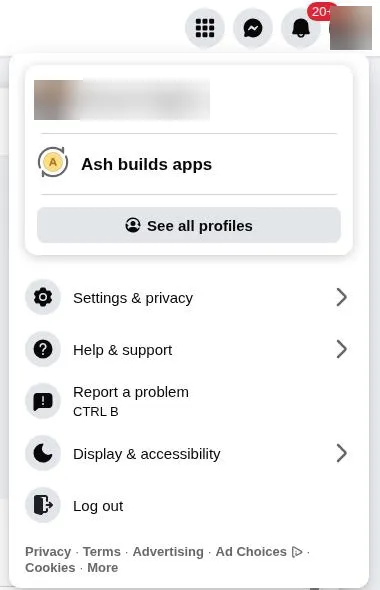
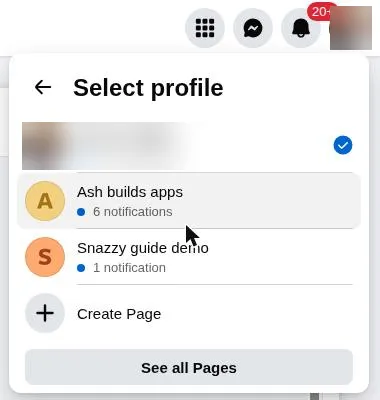
2Switch into your Page
Pick the Page you want your Instagram linked to. Facebook now shows the Page's own settings, not your personal ones.
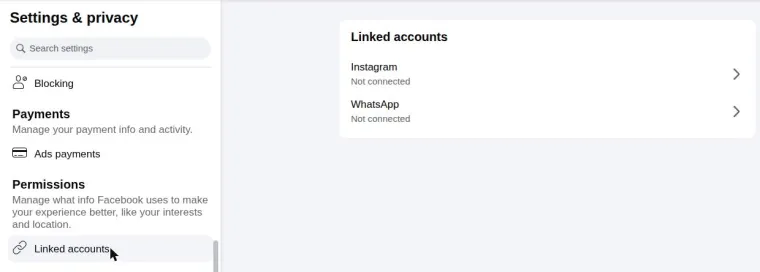
3Go to Linked accounts
Click your Page's photo in the top right → Settings & privacy → Settings. In the left menu, under Permissions, open Linked accounts. Instagram shows Not connected.
4Click Connect account
Open Instagram, then Connect account. Facebook notes that a personal Instagram account is switched to professional when you connect it.
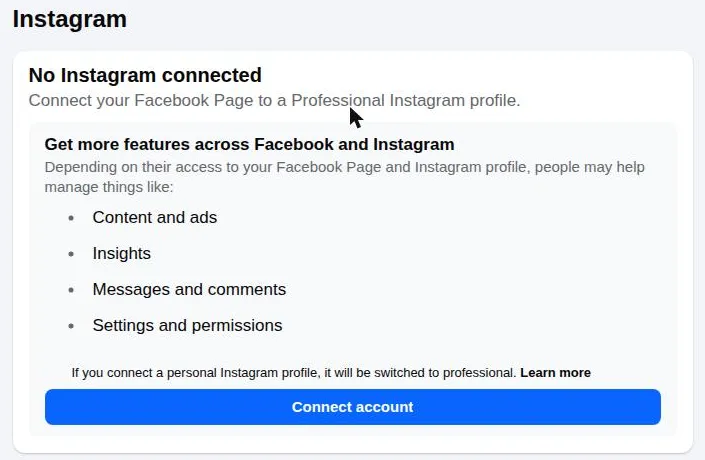
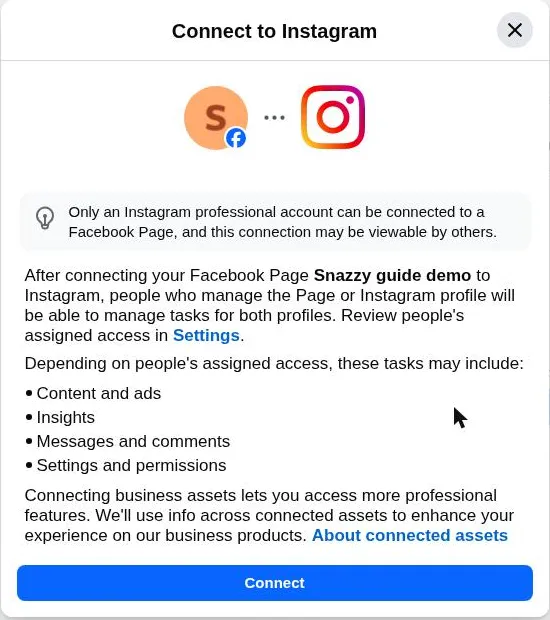
5Read the dialog, then Connect
It explains that people who manage the Page or the Instagram account can manage tasks for both. Click Connect.
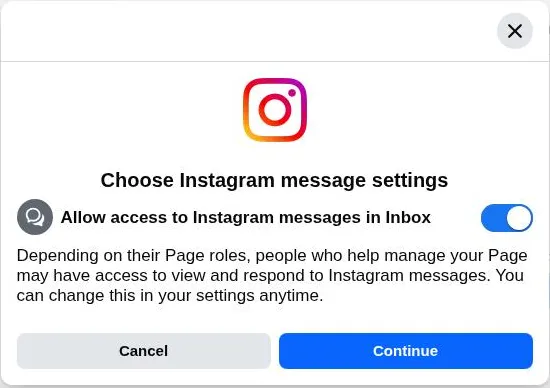
6Choose the message setting
This decides whether people who help run your Page can read your Instagram messages in Meta's inbox. Either choice is fine for scheduling, and you can change it later. Click Continue.
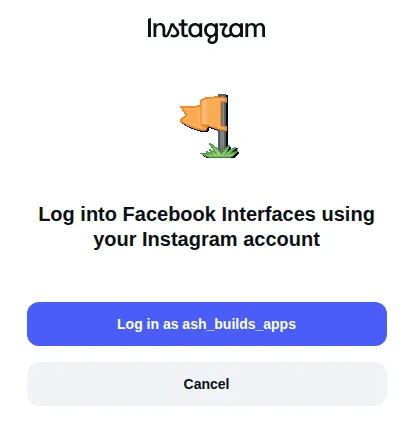
7Sign in to Instagram
Instagram opens a sign-in window. Log in with the professional account you want to link. If it offers the wrong account, use Switch accounts. When the window closes, Linked accounts shows your Instagram as connected.
8Connect again in your tool
Back in snazzy, connect with Facebook again and pick the Page. Or skip all of this: connecting with Instagram needs no Facebook Page.
What catches people out
- You must be signed in to Facebook as someone with full control of the Page. If Linked accounts is missing, you are probably still on your personal profile, not the Page.
- One Instagram account links to one Page at a time. Linking it to a new Page removes it from the old one.
- On the phone the same link lives in the Instagram app: Edit profile → Page. Menus move between app versions.
- If the Instagram window closes and nothing changed, check that the Instagram account is professional (Creator or Business) and that you signed in to the right one.
Related guides
Last checked 2026-11-09. Instagram changes its API without notice — if something here is wrong, tell us and we will fix it.
Schedule once. We post it.
Reels, Stories, carousels and comment-to-DM on Instagram. Free forever, no card.
Start free