The short answer
Open the Instagram app → your profile → menu (☰) → Settings and activity → Account type and tools → Switch to professional account, then pick Creator or Business. It is free, takes about a minute, and you can switch back. Every scheduling or auto-DM tool that uses Instagram's official API needs it.
Step by step
1Open account type settings
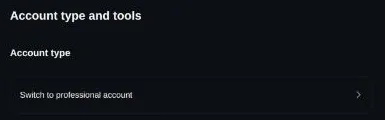
In the Instagram app: your profile → menu (☰) → Settings and activity → Account type and tools → Switch to professional account. On instagram.com: Settings → For professionals → Account type and tools → Switch to professional account. Instagram moves menus around; if the wording differs, search Settings for "account type".
2Choose Creator or Business
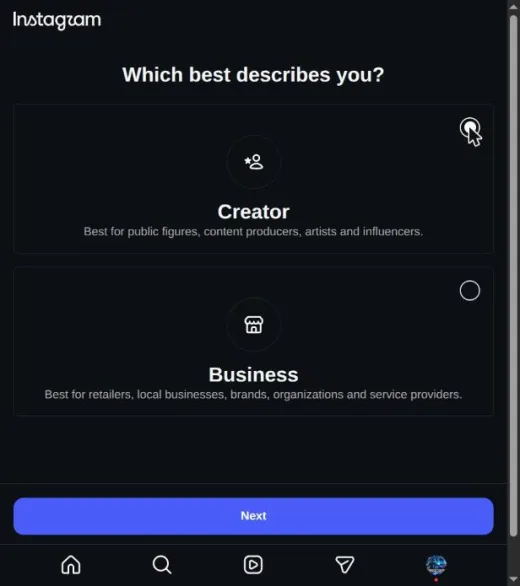
Both work with Instagram's API for scheduling and DMs. Creator suits a person or personal brand; Business suits a shop or company and adds contact buttons. You can change between them later. Tick one, then Next, and Next again on the summary screen.
3Pick a category and skip what you do not need
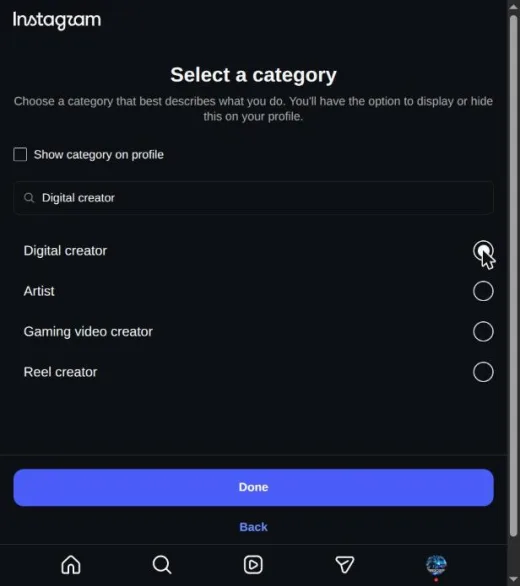
Search for the category closest to what you post, tick it, then Done. Show category on profile is optional. Contact details and the invite-friends screens are optional too; skipping them changes nothing about scheduling.
4Confirm
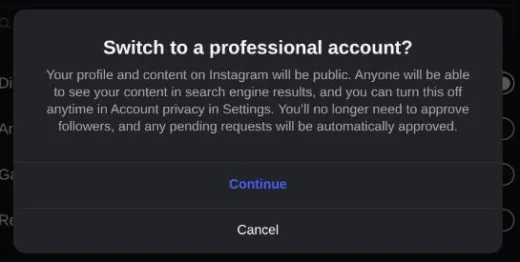
Instagram reminds you that a professional account is public and that pending follow requests are approved. Tap Continue.
5Connect your tool
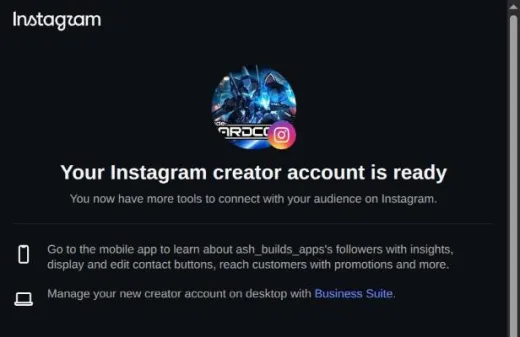
You see "Your Instagram creator account is ready" (or business). With Instagram Login (the method snazzy uses), you authorise in Instagram's own screen and no Facebook Page is required. Tools that use Facebook Login also ask you to link a Facebook Page.
What catches people out
- Your followers do not get a notification. What they may notice is the category label under your name, which Instagram lets you hide.
- Instagram has required professional accounts to be public. If yours is private, read what the switch screen says before you confirm.
- Instagram gives Business accounts a smaller music library for Reels (tracks cleared for commercial use). If trending audio matters to you, Creator is the safer choice.
- Switching back to personal is possible from the same menu, but Insights stop and Instagram does not promise to keep their history.
- On a phone, tapping an authorise link can open the Instagram app's feed instead of the permission screen; on phones with two Instagram apps it can loop between them. We have seen both. Opening the link in your browser, or on a computer, avoids it.
Related guides
Last checked 2026-11-09. Instagram changes its API without notice — if something here is wrong, tell us and we will fix it.
Schedule once. We post it.
Reels, Stories, carousels and comment-to-DM on Instagram. Free forever, no card.
Start free